13 Bullet Journal Monthly Spread Template Ideas
Templates are the backbone of an efficient Bullet Journal system. They save time, provide structure, and ensure consistency across months. Below are 13 monthly spread template ideas that you can adapt to your planning style, whether you prefer minimalism, creativity, or detailed organization.
1. The Classic Calendar & Task List Template
This is the most straightforward and functional monthly template. It combines a calendar grid with a running task list, perfect for those who want simplicity and clarity.
On the left page, draw a traditional monthly calendar grid with dates and days of the week. On the right page, create a numbered task list for tasks that don’t have specific dates. Use the calendar for appointments and deadlines, and the task list for ongoing projects and general to-dos.
QUICK TIPS
- Number your task list for easy reference.
- Use a symbol system (dot for task, circle for event, dash for note).
- Review and update the task list weekly.

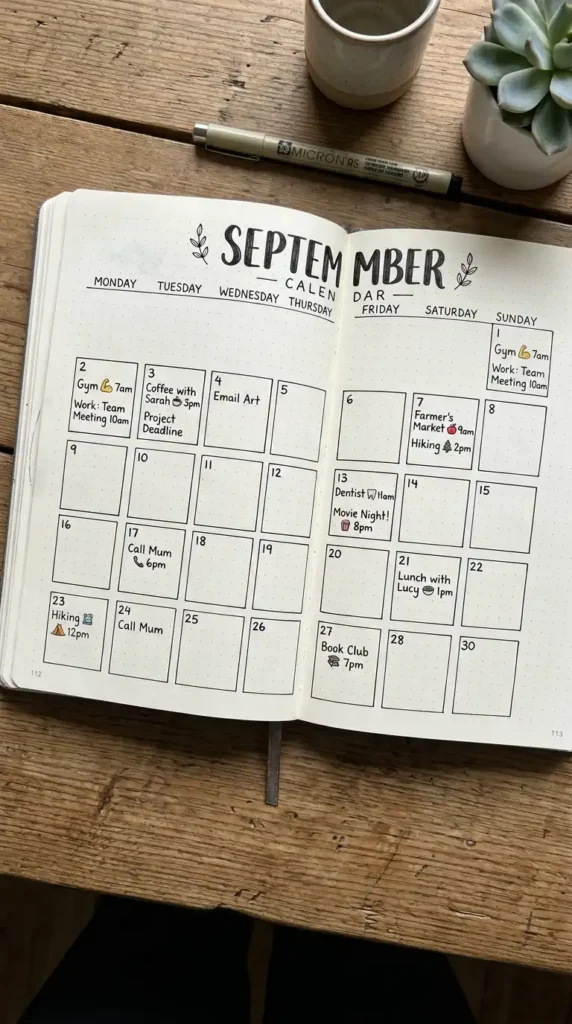
2. The Two-Page Full Calendar Spread
For those who need maximum calendar space, this template dedicates both pages to the monthly grid. Each day gets a larger box for more detailed entries.
Draw a calendar grid spanning both pages, with seven columns for days of the week and enough rows for all dates. Each day box should be large enough for multiple appointments, notes, or small illustrations. This template works well for busy professionals or parents.
QUICK TIPS
- Use different colored pens for different types of entries.
- Add a small notes section at the bottom of one page.
- Consider using a Dutch door layout for extra space.
3. The Vertical Timeline Template
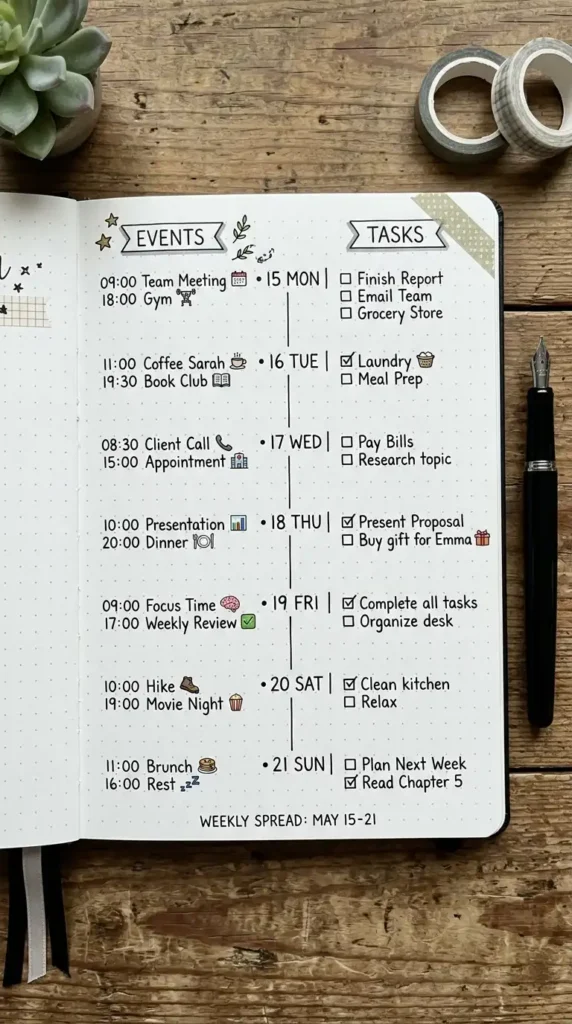
This template organizes your month as a vertical timeline, perfect for visualizing the flow of events and deadlines across the month.
Draw a vertical line down the center of the page, with dates marked along it. On the left side, note events and appointments. On the right side, add tasks, notes, or reflections. This layout is especially useful for project planning or tracking progress over time.
QUICK TIPS
- Use different colored lines for different categories.
- Add arrows or symbols to indicate progress.
- Include a summary section at the bottom.
4. The Goals & Priorities Template
This template prioritizes goal setting over calendar events. It’s perfect for months when you want to focus on personal development or project completion.
The left page features a goals section divided into categories—Personal, Professional, Health, Relationships. The right page contains a priority matrix or action steps for achieving those goals. A small calendar section can be included in the corner for dates.
QUICK TIPS
- Use the SMART framework for goal setting.
- Break goals into weekly action steps.
- Include a review section at the end of the month.

5. The Habit Tracker & Calendar Combo
Combine your monthly calendar with a habit tracker for a comprehensive overview of your month. This template keeps both scheduling and habit formation in one place.
Place the calendar grid on one page and the habit tracker grid on the facing page. The habit tracker can be a simple grid with habits down the side and days across the top. This layout makes it easy to see how your habits align with your schedule.
QUICK TIPS
- Color-code habits for easy scanning.
- Limit habits to 5–7 for sustainability.
- Add a weekly review section to track progress.

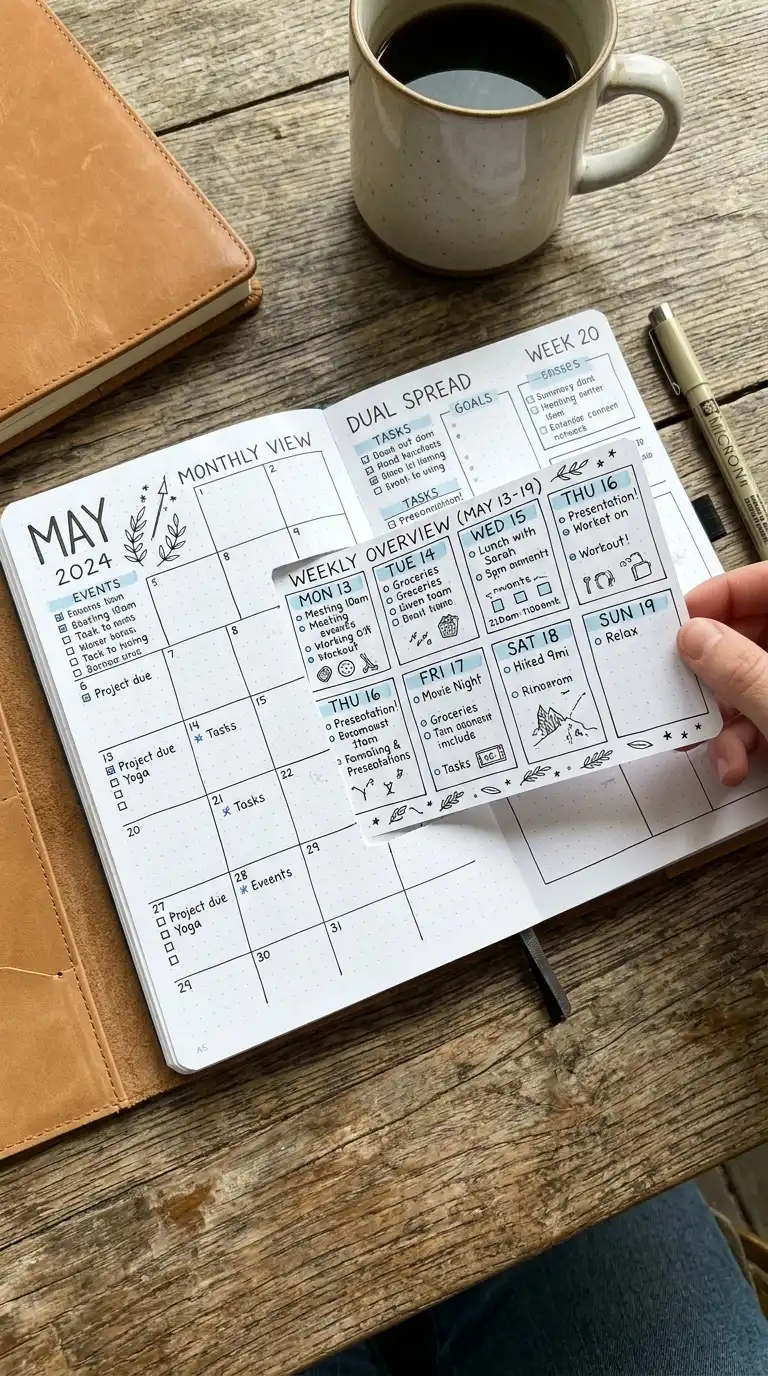
6. The Dutch Door Monthly Template
The Dutch door template creates additional planning space by cutting or folding pages. This clever layout gives you more room for details without adding extra pages.
Create a full calendar spread, then cut or fold a section of one page to reveal additional content underneath. The visible section can contain a weekly overview, task list, or notes. The hidden section contains the full calendar or additional details.
QUICK TIPS
- Use a craft knife and ruler for clean cuts.
- Plan your layout carefully before cutting.
- Add tabs to the Dutch door for easy opening.

7. The Weekly Overview with Monthly Snapshot
This template combines a monthly snapshot with four weekly overview sections. It’s perfect for those who like both macro and micro planning.
On one page, create a small monthly calendar grid. On the facing page, divide the space into four sections—one for each week of the month. In each weekly section, note key priorities, deadlines, and a small to-do list.
QUICK TIPS
- Keep weekly sections small—only the most important items.
- Use color coding across both pages for consistency.
- Add a “monthly focus” line at the top.

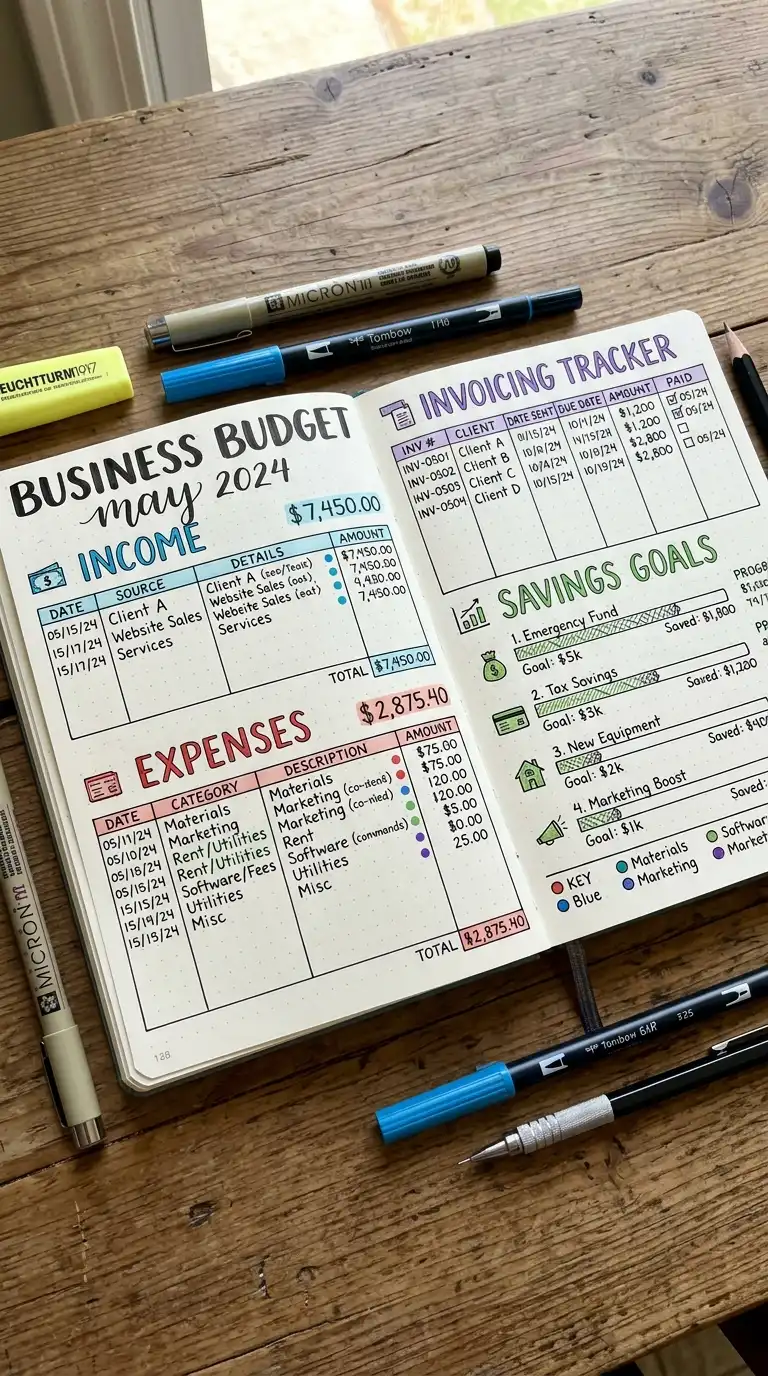
8. The Budget & Finance Template
This template focuses on financial tracking, combining income, expenses, and savings goals in one monthly spread.
Create sections for: Monthly Income, Fixed Expenses (rent, utilities), Variable Expenses (groceries, entertainment), Savings Goals, and a Spending Tracker. Use a simple grid or table format for clear organization. Include a section at the end for monthly financial reflections.
QUICK TIPS
- Use different colors for planned vs. actual spending.
- Add a section for irregular expenses.
- Review your budget weekly to stay on track.

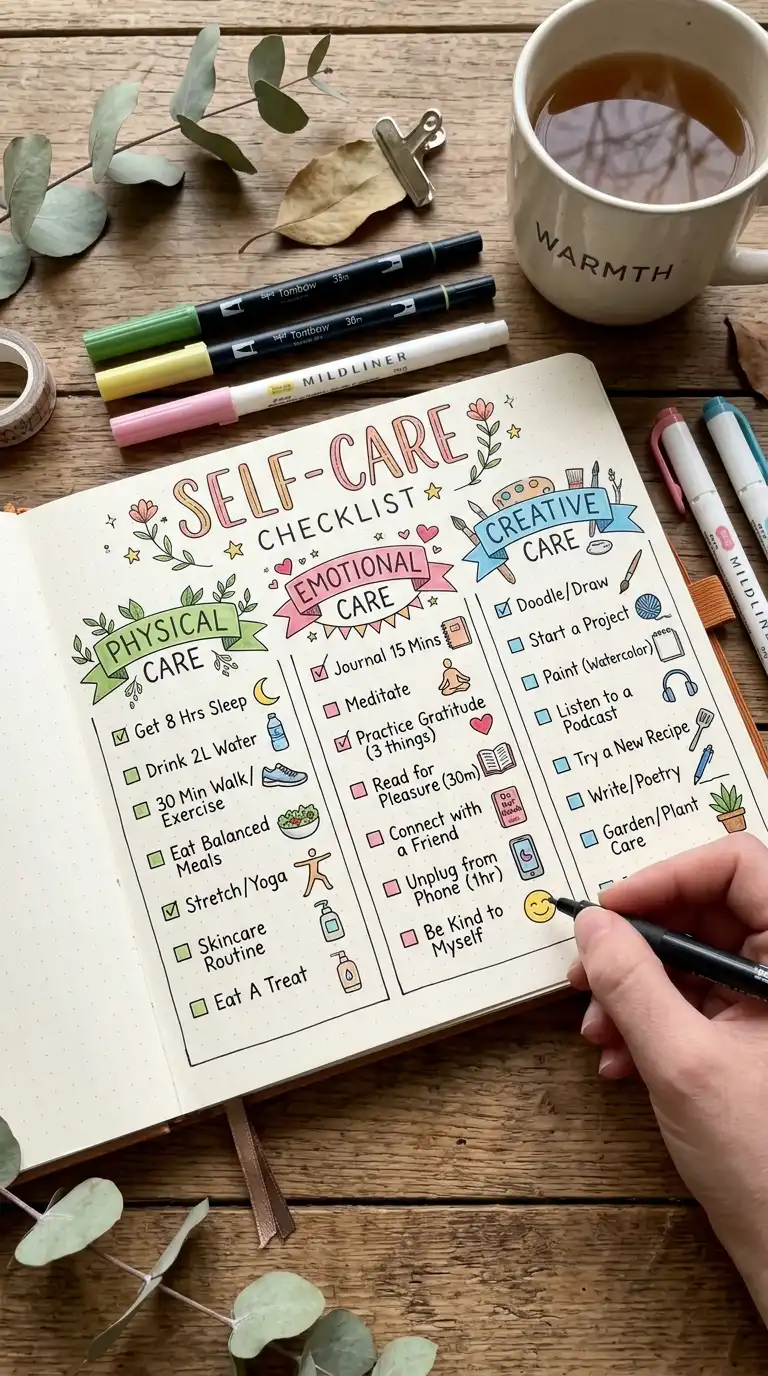
9. The Health & Wellness Template
Prioritize your health with a monthly template dedicated to physical and mental wellbeing. This spread tracks exercise, sleep, nutrition, and self-care.
Create sections for: Exercise Log (workouts completed), Sleep Tracker (hours and quality), Meal Planning (healthy meals), Water Intake, and Self-Care Activities. Include a monthly wellness goal and a weekly check-in for motivation.
QUICK TIPS
- Use icons or symbols for quick tracking.
- Add a section for notes on how you’re feeling.
- Review the template weekly to stay accountable.

10. The Project Management Template
For those with active projects, this template helps you track progress across multiple initiatives. It’s ideal for freelancers, students, or anyone managing complex work.
List your active projects on one page. For each project, note: current status, this month’s goal, next action step, and any obstacles. On the facing page, create a timeline or milestone tracker to visualize progress.
QUICK TIPS
- Limit active projects to 3–5 for focus.
- Use a symbol system for status updates.
- Include a section for project wins at month-end.

11. The Gratitude & Reflection Template
This template prioritizes gratitude practice and monthly reflection, making it perfect for personal growth and mindfulness.
Create sections for: Daily Gratitude (space for each day), Monthly Highlights (best moments), Challenges Overcome, Lessons Learned, and Next Month Intentions. Add small decorative elements like stars or hearts for a personal touch.
QUICK TIPS
- Write gratitude entries daily for consistency.
- Use a different color pen for each section.
- Read back through this template at the end of the year.

12. The Brain Dump & Priority Matrix Template
Clear your mind with a monthly spread dedicated to brain dumping and prioritizing tasks. This template is ideal for busy months when mental clarity is essential.
On one page, create a free-form brain dump space where you write everything on your mind—tasks, worries, ideas, appointments. On the facing page, draw a four-quadrant priority matrix: Important & Urgent, Important & Not Urgent, Not Important & Urgent, Not Important & Not Urgent.
QUICK TIPS
- Set a timer for 10 minutes for the brain dump.
- Use sticky notes for movable items.
- Review the priority matrix weekly to stay on track.

13. The Creative Blank Canvas Template
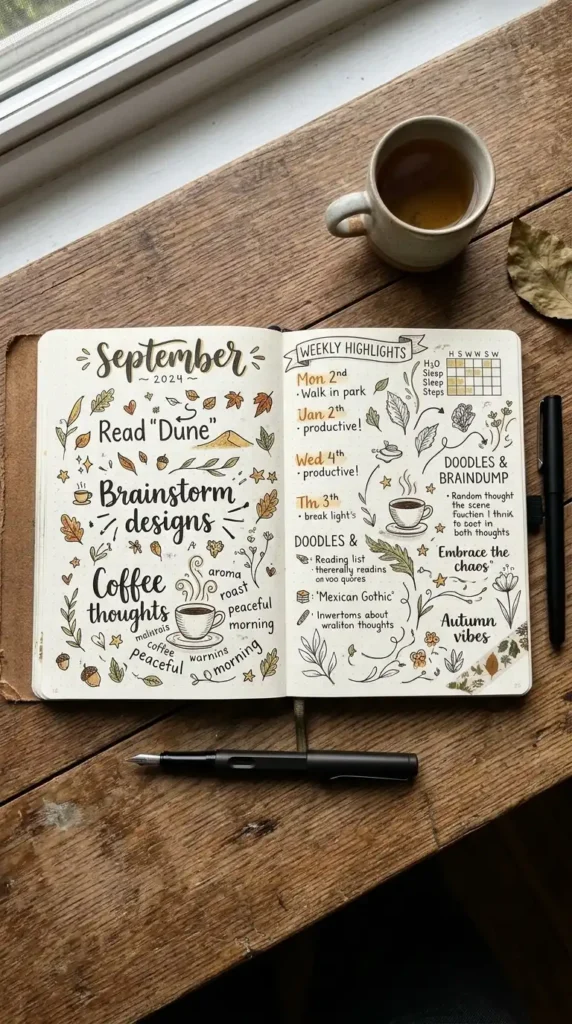
For journalers who love flexibility, this template provides minimal structure and maximum creative freedom. It’s a blank canvas waiting for your monthly story.
Start with a simple header for the month name. Leave the rest of the pages open for whatever you need—a calendar, goals, art, notes, quotes, or a combination. Use this template when you want your BuJo to evolve organically throughout the month.
QUICK TIPS
- Add a small calendar in the corner for basic date reference.
- Use stickers and washi tape to create flexible sections.
- Let the month’s needs guide what you add.
Final Thoughts
Your Bullet Journal templates should serve your specific needs, not the other way around. Experiment with different templates to discover what works best for your lifestyle and planning style. Some months might require more structure, while others call for creative freedom.
Remember that templates are meant to be adapted. Mix and match elements from different templates, adjust layouts, and evolve your system over time. The best template is the one you’ll actually use and enjoy.
Start with one or two templates this month and build your collection from there. Over time, you’ll develop a monthly spread system that feels natural, efficient, and uniquely yours.